

Why Online Merchants Should Accept Bitcoin
Accepting Bitcoin payments expands your customer base to those who cannot or prefer not to use credit cards or cash. This is particularly relevant for international customers from countries with restricted banking systems, or existing Bitcoin holders who prefer spending rather than selling.
Concrete benefits:
- No chargebacks — Bitcoin transactions cannot be reversed after blockchain confirmation. Eliminates "I never received my item" fraud.
- Low fees — Especially via Lightning Network, fees are just 1-10 satoshis.
- Fast settlement — Bitcoin on-chain takes 10-60 minutes for confirmation. Lightning settles instantly.
- Access new markets — Thailand has a large Bitcoin-holding population who want to spend without converting to THB.
Method 1: Third-Party Payment Processors
The easiest option for non-technical merchants. These services handle everything; you receive THB or Bitcoin depending on preference.

ชำระเงินออนไลน์ด้วย Bitcoin
CoinPayments
Supports Bitcoin and hundreds of altcoins. Offers plugins for WooCommerce, Shopify, Magento. Fee: 0.5% for Bitcoin.
BitPay
Popular in the US. Supports Bitcoin, Bitcoin Cash, and stablecoins. Plugins for WooCommerce and Shopify. Fee: 1%. You can choose to receive fiat directly to your Thai bank account.
OpenNode
Lightning-focused. Fee: 0.5%. Instant settlement via Lightning. Supports WooCommerce, Shopify, Magento.

ร้านค้าออนไลน์รับ Bitcoin
Method 2: Direct Wallet Integration
For merchants with technical capability who want full control.
Static Address (Not Recommended)
Use a single Bitcoin address for all orders. Simple but exposes all transaction history on the blockchain.
HD Wallet / Payment Gateway
Generate new addresses for each order using hierarchical deterministic wallets. Better privacy and easier order tracking. Libraries available: BITBOX, SLPJS, or blockchain.com Receive Payments API.

Bitcoin payment gateway
Method 3: BiTTerm Payment Terminal
For merchants wanting an all-in-one solution, BiTTerm from Cashless Thailand includes both hardware terminal and software for accepting Bitcoin via on-chain and Lightning, with automatic THB settlement to your bank account.
BiTTerm advantages for online merchants:
- Accepts Bitcoin and Lightning simultaneously.
- Auto-settlement to THB bank account.
- Dashboard for transaction monitoring.
- QR code support for mobile payments.
Setting Up Your Bitcoin Payment System
1. Prepare a Bitcoin Wallet
Open a Bitcoin wallet supporting receive addresses: BlueWallet, Electrum, or a hardware wallet like Ledger. For THB settlement, use an exchange with auto-sell API like Bitkub.
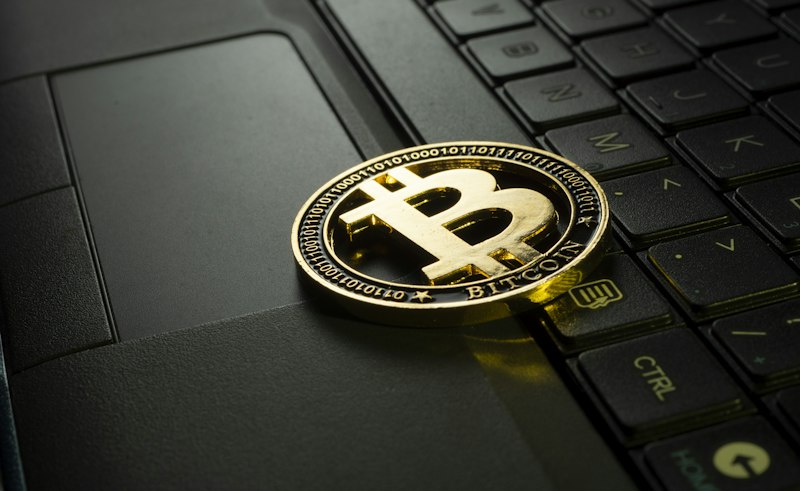
Crypto payment integration
2. Configure Pricing and Currency
Set product prices in THB as usual. Use an API to fetch current BTC price and convert to BTC when customers select Bitcoin payment. Use reliable sources: CoinGecko API, Binance API, or Kaiko.
3. Build Order Tracking System
For each order where customer selects Bitcoin:
- Generate a unique Bitcoin address for this order.
- Calculate amount: THB price ÷ current BTC price.
- Set payment expiry time (recommend 30-60 minutes).
- Display QR code with address and amount.
- Poll blockchain or use webhooks to detect payment.
- Auto-update order status to "paid" upon confirmation.
4. Configure Notifications
Set up webhook or polling against blockchain explorer API to detect incoming transactions. When the transaction reaches your required confirmation threshold (1 for small amounts, 3+ for large), auto-confirm the order.
Security Considerations
- Double-spend attacks — For small amounts, 0-confirmation may be acceptable but beware double-spends. Use services like BitPay or OpenNode that handle this.
- Price volatility — If Bitcoin price drops significantly while waiting for confirmation, customers get a discount beyond expectations. Use auto-settlement or maintain a 5-10% buffer margin.
- Address mistakes — Verify address format matches the network (on-chain vs Lightning differ).
- Privacy — Never reuse addresses and note that your Bitcoin address will be publicly visible on the blockchain.
Bitcoin On-chain vs Lightning for Settlement
Bitcoin On-chain
Best for large settlements (10,000+ THB). On-chain fees are reasonable relative to amount. Drawback: 10-60 minute confirmation wait.
Lightning Network
Best for smaller settlements up to 10,000 THB. Instant settlement, minimal fees. Drawback: both merchant and customer must have Lightning capability.
Frequently Asked Questions
Do merchants need special registration to accept Bitcoin in Thailand?
No specific additional registration is currently required. Report Bitcoin payment income normally for tax purposes. The SEC may issue additional guidance in the future.
What if Bitcoin price drops after payment is received?
Merchants should auto-sell received Bitcoin for THB immediately via exchange or use payment processors that offer auto-settlement to fiat.
Customer paid Bitcoin but I didn't receive it?
Check the transaction ID (TXID) on a blockchain explorer like mempool.space or blockchain.com. If the transaction has confirmations but your system didn't detect it, there's a system bug — contact the customer directly.
Are Bitcoin transaction fees high?
For on-chain transactions, fees are approximately 10-50 THB ($1-10) during normal periods, but can spike to 500+ THB during congestion. For small payments, use Lightning Network for much lower fees.
Are there plugins for WooCommerce or Shopify?
Yes — multiple options. WooCommerce: Crypterio, Cryptocurrency product for WooCommerce, Bitcoin Payments for WooCommerce. Shopify: Coinbase Commerce, Globee. BiTTerm offers WooCommerce integration via API.
❓ คำถามที่พบบ่อย
❓ บทความนี้อัปเดตเมื่อไหร่?
พฤษภาคม 2569 — ข้อมูลราคาและกฎหมายอัปเดตล่าสุด
❓ สามารถนำบทความไปแชร์ได้ไหม?
แชร์ได้เต็มที่ แต่ต้องให้เครดิต Cashless Thailand
🚀 Want to Accept Bitcoin at Your Store?
Get a professional crypto-ready website for your online store, restaurant, or any business. Starting from ฿3,900 — includes BitTerm POS, QR Code Generator, and WooCommerce Integration.
💬 Get Free Consultation Today